
How to Choose the Right Office Chair for Long Hours: A Buyer's Guide
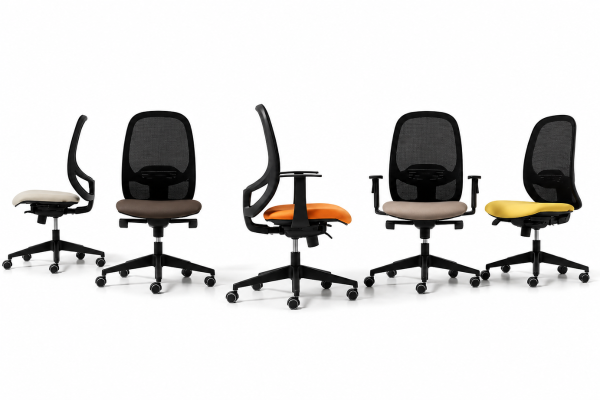
A chair appears to be a simple piece of furniture. Still, for anyone spending 6 to 10 hours a day at a desk, it has an effect on comfort levels, posture, and productivity, as well as the entire experience of working. Most companies go overboard on their desks, interiors, and technology yet forget the thing that employees are going to use the most: the office chair.
In a new world where more and more workplaces prioritize employee wellness, comfort in the work environment has become crucial to functional workspace design. Studio WB builds commercial spaces where form meets function, complemented by modern office furniture that blends style and comfort.
Why the Right Office Chair Is Essential for Every Workplace
An average employee spends thousands of hours sitting every year. A poorly designed chair can contribute to:
- Lower back discomfort
- Poor sitting posture
- Shoulder and neck tension
- Reduced concentration
- Workplace fatigue
Important Factors to Consider When Buying an Office Chair
1. Ergonomic Support Should Be Your Priority
The most important feature of a chair for long hours of work is ergonomics.
An ergonomic chair is designed for the way a human being actually moves and offers support where your body needs it most.
Look for:
- Adjustable lumbar support for lower back comfort
- Proper seat depth to support your thighs
- Adjustable armrests
- Flexible backrest movement
- Comfortable cushioning
- Height adjustment options
A chair that allows adjustment helps different users maintain a healthier sitting position.
2. Check the Lumbar Support
The lower back naturally has an inward curve. Sitting for long periods without proper support can put pressure on this area.
A good office chair should provide:
- Adjustable lumbar support
- Lower back cushioning
- Support that follows the natural spine curve
One chair holds different people in a shared office. Their adjustable nature makes it easier for every employee to receive the back support they need throughout their workday.
3. Choose the Right Seat Height and Depth
A chair that is too high or too low can affect blood circulation and posture.
When seated:
- The user’s feet should rest flat on the floor.
- The knees should form approximately a 90-degree angle.
- There should be a small gap between the seat edge and the back of the knees.
Seat depth is equally important. Even if a deeper seat is comfortable initially, it may start putting pressure behind the user’s knees during extended working hours.
4. Consider Adjustable Armrests
Armrests help reduce pressure on the shoulders and neck by providing proper arm support while working.
The ideal armrests should allow adjustment according to:
- Desk height
- User height
- Working position
For tasks involving computers, properly positioned armrests help maintain relaxed shoulders and better posture.
5. Select the Right Material
The material of your office chair affects comfort, durability, and appearance.
5. Select the Right Material
Material | Benefits | Best For |
Mesh | Breathable and lightweight | Long working hours, warm climates |
Fabric | Comfortable and available in many designs | General office environments |
Leather/Leather Finish | Premium appearance and easy maintenance | Executive offices |
Upholstered Seating | Luxury feel and enhanced comfort | Meeting rooms and premium workspaces |
6. Look for Adjustable Backrest Features
A fixed backrest may not suit everyone. Modern office chairs often include:
- Recline adjustment
- Tilt tension control
- Locking positions
- Flexible movement
These features allow users to change positions throughout the day instead of remaining static.
Movement is an important part of maintaining comfort during extended work sessions.
7. Match the Chair With Your Workspace Design
Modern office furniture should create a balance between functionality and visual consistency.
A chair used in:
- Executive offices
- Open workstations
- Meeting rooms
- Reception areas
- Collaborative spaces
may require different designs.
For example:
- Executive chairs often focus on premium finishes and presence.
- Task chairs prioritize daily comfort and ergonomics.
- Visitor chairs focus on appearance and short-duration comfort.
Office Chair Buying Checklist
Before purchasing an office chair, consider this checklist:
- Is the chair adjustable?
- Does it provide proper lumbar support?
- Can users adjust seat height?
- Are armrests comfortable and adjustable?
- Is the material suitable for long working hours?
- Does the design match your office interiors?
- Is the chair durable for daily use?
- Does it support different body types?
Ergonomic Chair vs Traditional Office Chair
Feature | Ergonomic Office Chair | Traditional Office Chair |
Adjustability | Multiple adjustment options | Limited adjustment |
Long-hour comfort | Designed for extended use | May create discomfort |
Back support | Improved lumbar support | Basic support |
User flexibility | Adapts to different users | Fixed design |
Workplace wellness | Supports healthier posture | Less focused on ergonomics |
How Studio WB Helps Create Better Workspaces
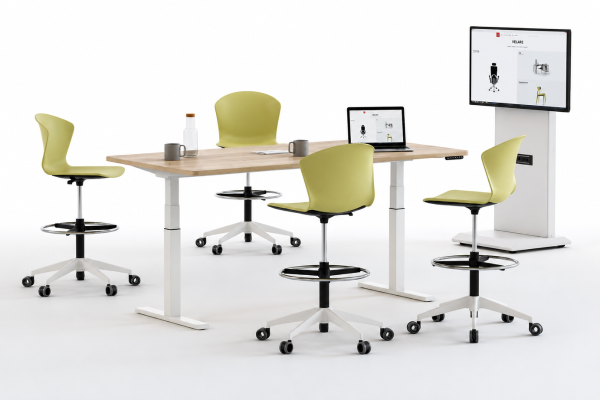
Choosing office chairs is not only about selecting a product. It is about understanding how furniture works within the entire environment.
Studio WB provides bespoke design and build solutions that seamlessly integrate interior concepts, functionality, and workspace requirements. We specialize in corporate interiors, modern office furniture, and fully furnished workplaces tailored to each client’s needs.
Our professional workspace design approach considers:
- Employee comfort
- Office layout
- Brand identity
- Space utilization
- Furniture quality
4 Most Common Mistakes to Avoid When Buying Office Chairs
1. Choosing Appearance Over Comfort
A stylish chair may look impressive but may not provide the support needed for daily use.
2. Buying Without Testing Adjustability
Every person has different ergonomic requirements. A chair should provide flexibility rather than a fixed sitting position.
3. Ignoring Workspace Requirements
A chair should complement the purpose of the space. A conference room chair and an employee workstation chair serve different needs.
4. Selecting Based Only on Price
A low-cost chair may require frequent replacement and may affect user comfort over time.
Conclusion
1. Choosing Appearance Over Comfort
A stylish chair may look impressive but may not provide the support needed for daily use.
2. Buying Without Testing Adjustability
Every person has different ergonomic requirements. A chair should provide flexibility rather than a fixed sitting position.
3. Ignoring Workspace Requirements
A chair should complement the purpose of the space. A conference room chair and an employee workstation chair serve different needs.
4. Selecting Based Only on Price
A low-cost chair may require frequent replacement and may affect user comfort over time.
Frequently Asked Questions
Mesh is cooler, and fabric feels softer. The right option depends on your comfort and office environment.
Yes. They are especially useful for desk work, as they help relax the shoulders and provide proper arm support.
The ideal office chair should allow the user’s feet to sit flat on the floor, their knees to be well supported, and their legs to feel comfortable without being trapped by the seat.